
Customize → Personality used to be two text boxes: one for how your assistant should sound, one for how it should act. That was fine when the answer was a sentence. Then people wrote real instructions - how to talk about pricing, what to do off-topic, when to hand off to a human - and the box became a page of text nobody wanted to touch.
It got riskier last week, when Answer HQ became an MCP server. Ask Claude to "add a rule about refunds" and the only move it had was to rewrite the whole box: read it, add the line, hand back a version that was mostly the same. Mostly. Those are the instructions your assistant follows on every conversation, so "mostly" isn't good enough.
So today, personality is a list of rules.
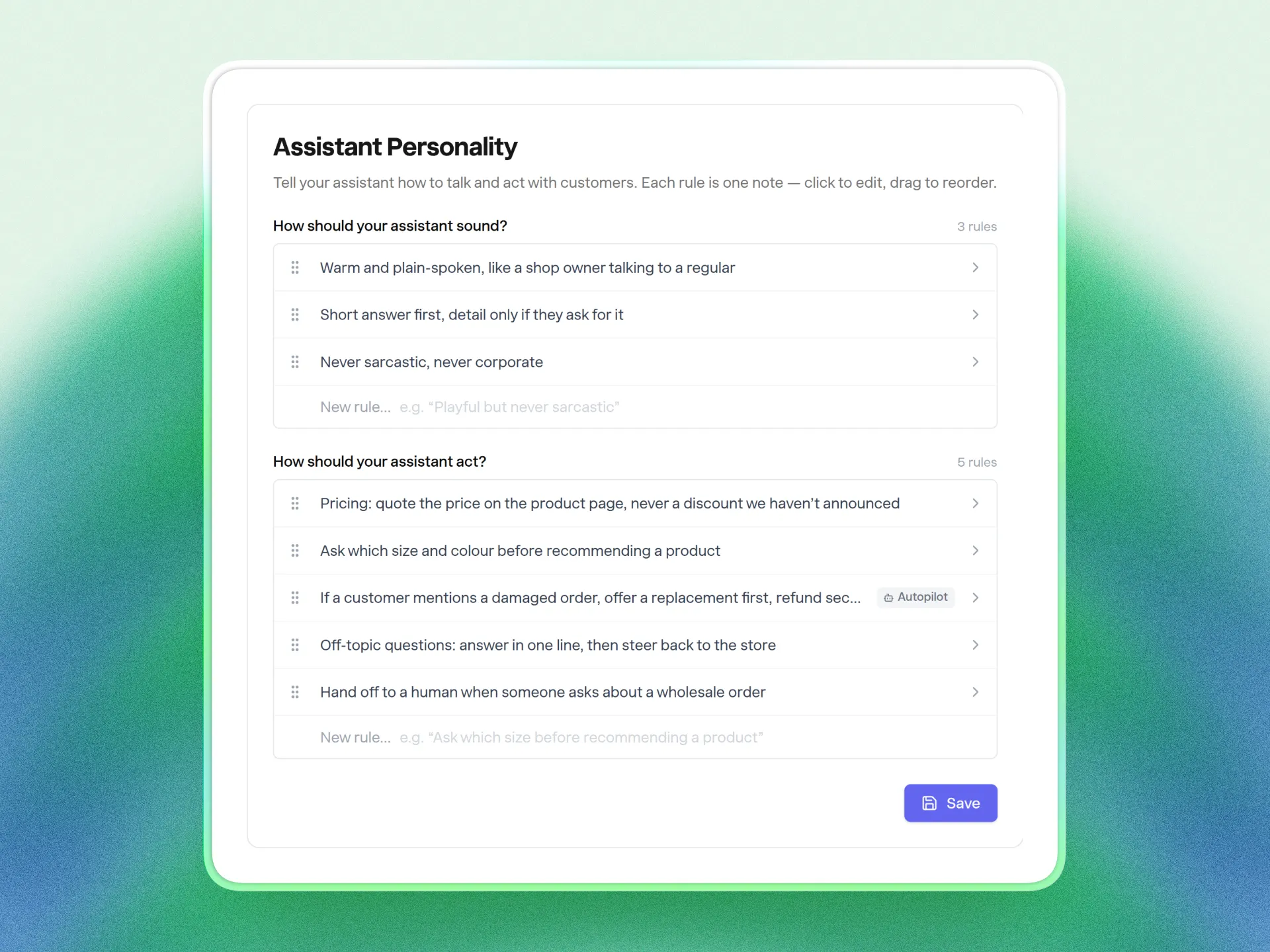
One rule per line
Each list - how it sounds, how it acts - is a set of short rules. Click one to edit it, drag to reorder, remove it when it stops being true, and type into the blank row at the bottom to add another.
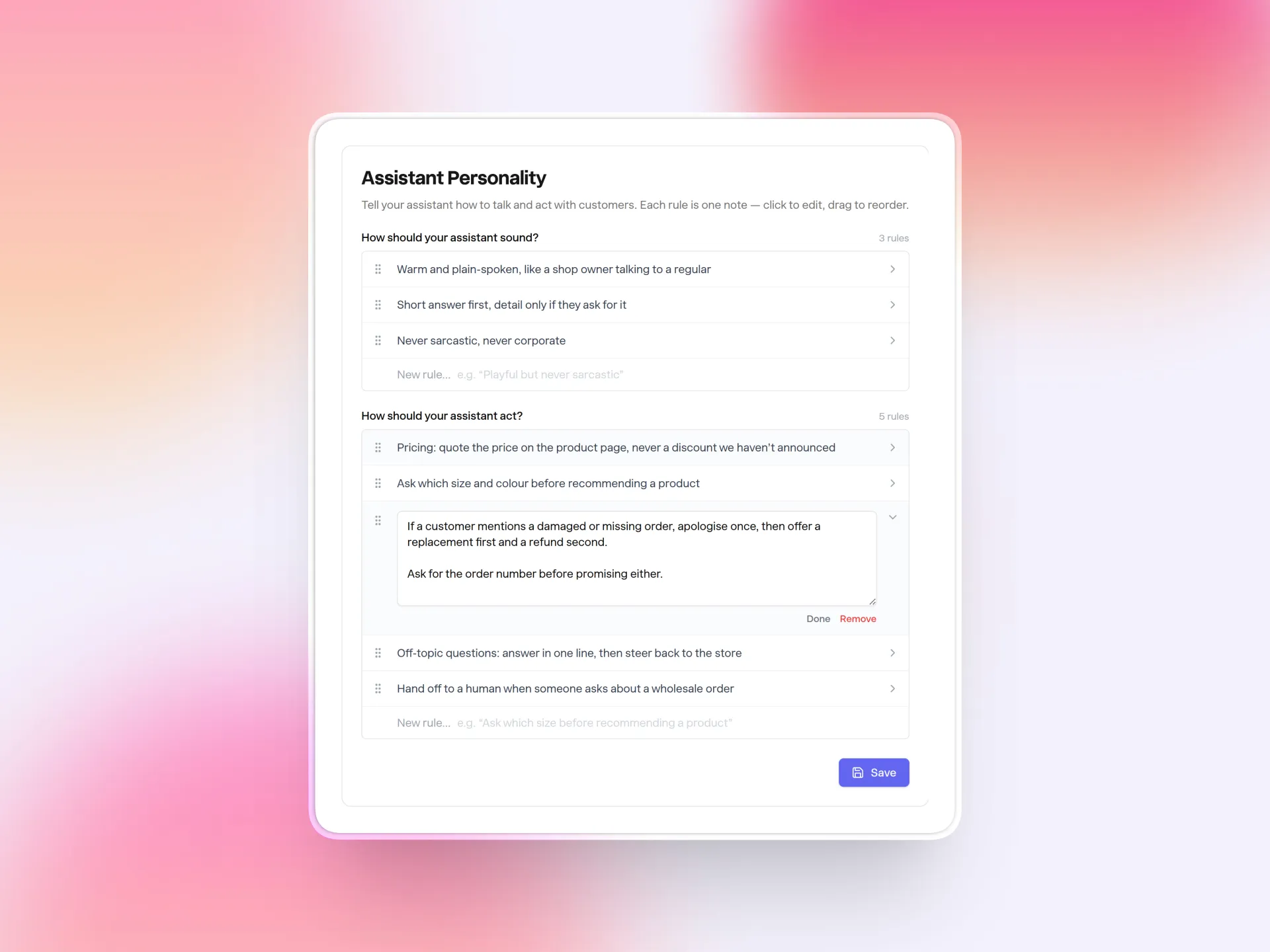
Whatever you had written is already there. If it was under headings, each heading became its own rule; otherwise it's one rule that you can split up whenever you like. Your assistant is being told exactly what it was told yesterday.
Agents add a rule, not a rewrite
This is what the list is really for. When Autopilot, the Slack bot, Claude or Cursor adds a rule, it adds one rule. Editing changes one. Removing removes one. There is no action that replaces the list, so a badly worded request can't take your other rules with it.
In Autopilot and Slack, every one of those changes waits for your approval. The card shows the exact rule - and for an edit, before and after - so you know what you're saying yes to.
Over MCP, a read + write key runs the change straight away, the same way it does for articles, and a read-only key can list your rules and nothing else.
One fix that came with it
Editing your assistant's personality now applies to every answer immediately. Before, a suggested question a customer had already asked could keep returning the old answer for up to a week. Saving a rule now clears those cached answers, the same way saving an article already did.
Try it
It's live on every plan under Customize → Personality. Connecting Claude, Cursor or Autopilot to manage rules for you needs Pro or above. The help center has how the two lists work and what agents can and can't do.
If you haven't tried Answer HQ yet, start a 14-day trial and your assistant will be answering from your own content in minutes.