
You know the feeling: you want one answer about your business and end up with six dashboard tabs open.
Insights already shows you what customers are asking and where your knowledge base falls short. But you still have to go looking. And once you find a gap, fixing it is still on your to-do list.
Today I'm very excited to introduce Autopilot - a new page in your dashboard where you ask about your customers in plain language, get straight answers from your own support conversations, and hand off the busywork.
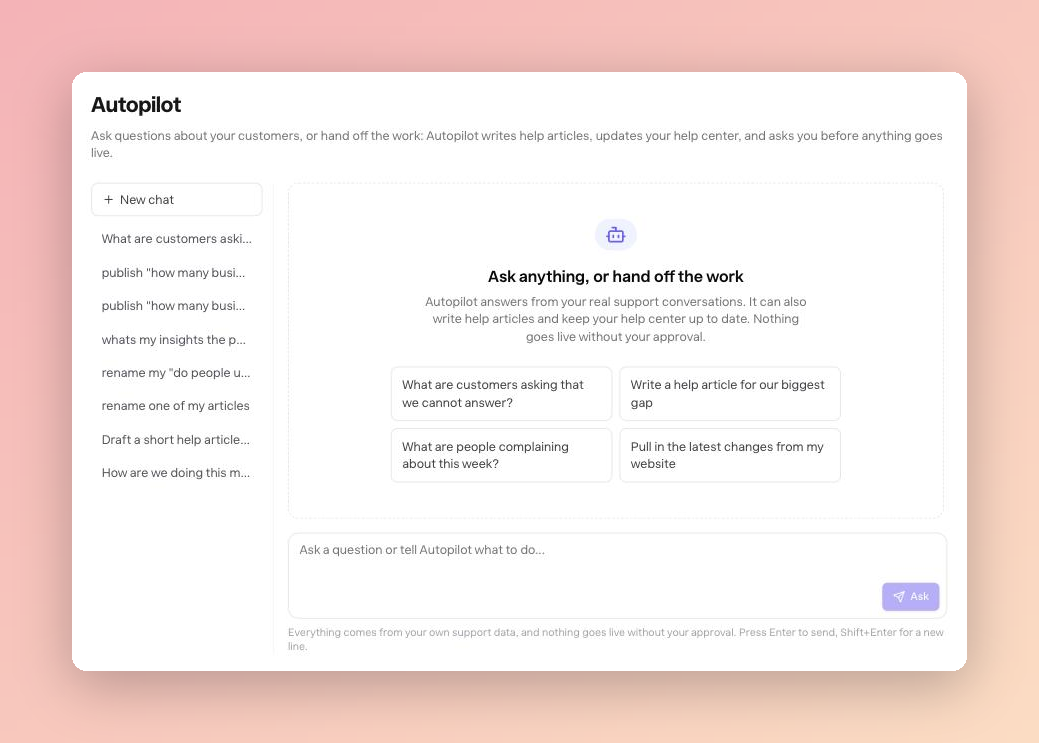
Ask like you'd ask a coworker
Type "What are people complaining about this week?" or "How are we doing this month?" and Autopilot answers from your real support conversations. No filters to learn, no report builder, no exporting to a spreadsheet to get one number.
It shows its work, too. You can watch it check your overview, pull unanswered questions, or read a conversation thread before it answers - and every answer says which numbers it used and what date range they cover.
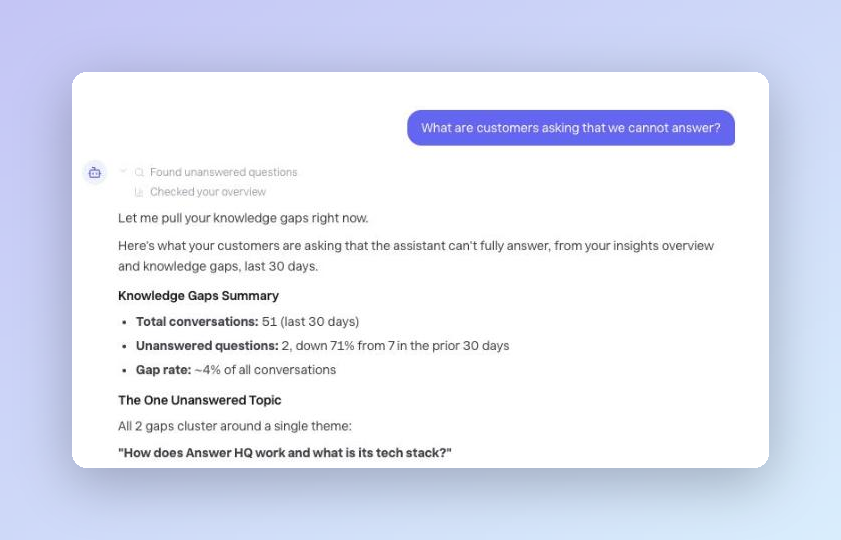
Hand off the work
Here's my favorite part. Autopilot doesn't stop at telling you what's wrong.
Ask it to write the help article for your biggest gap and it checks your existing articles first so you don't end up with duplicates, picks the right category, and writes the draft. Ask it to pull in the latest changes from your website and it refreshes your content so answers stay current. Once a topic is covered, it can tidy up your unanswered-questions list too.
The loop that used to be "notice it, remember it, write it, publish it" is now one conversation.
Nothing goes live without you
Autopilot drafts freely, but anything your customers could see waits for you. When it wants to publish a new article, change an existing one, or refresh your website content, it shows you a card saying exactly what it wants to do - and it does nothing until you press Approve.
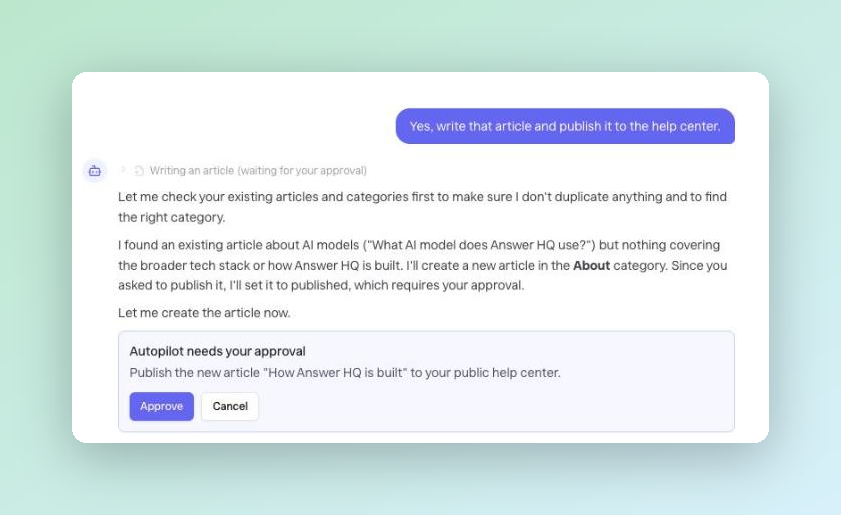
Press Cancel and nothing changes. Walk away, and the request quietly expires. Your help center stays yours.
Pick up where you left off
Every conversation is saved in a list next to the chat. Reopen yesterday's thread to follow up on that spike, or press New chat to start fresh.
Available today
Autopilot is available now on Pro and Growth plans - look for Autopilot in your dashboard sidebar, right under Insights. There's nothing to set up: it works off the support conversations you already have.
—
This one changes what Answer HQ is: not just a widget that answers your customers, but a teammate that helps you run support. I'd love to hear what you think - email me at hello@answerhq.co or chat with us in the widget (yes, it's powered by Answer HQ).
Thank you for being part of the Answer HQ journey,
Jacky
Founder, Answer HQ
Try Answer HQ free for 14 days - no credit card required.