
Most small teams I talk to don't live in a support dashboard. They live in Slack. The dashboard is where they go when something's wrong, and by then it's late.
So Answer HQ now lives in Slack too. Today I'm introducing the Answer HQ Slack bot: ask about your customers where your team already talks, get alerted the moment several customers hit the same problem, and approve changes with a button.
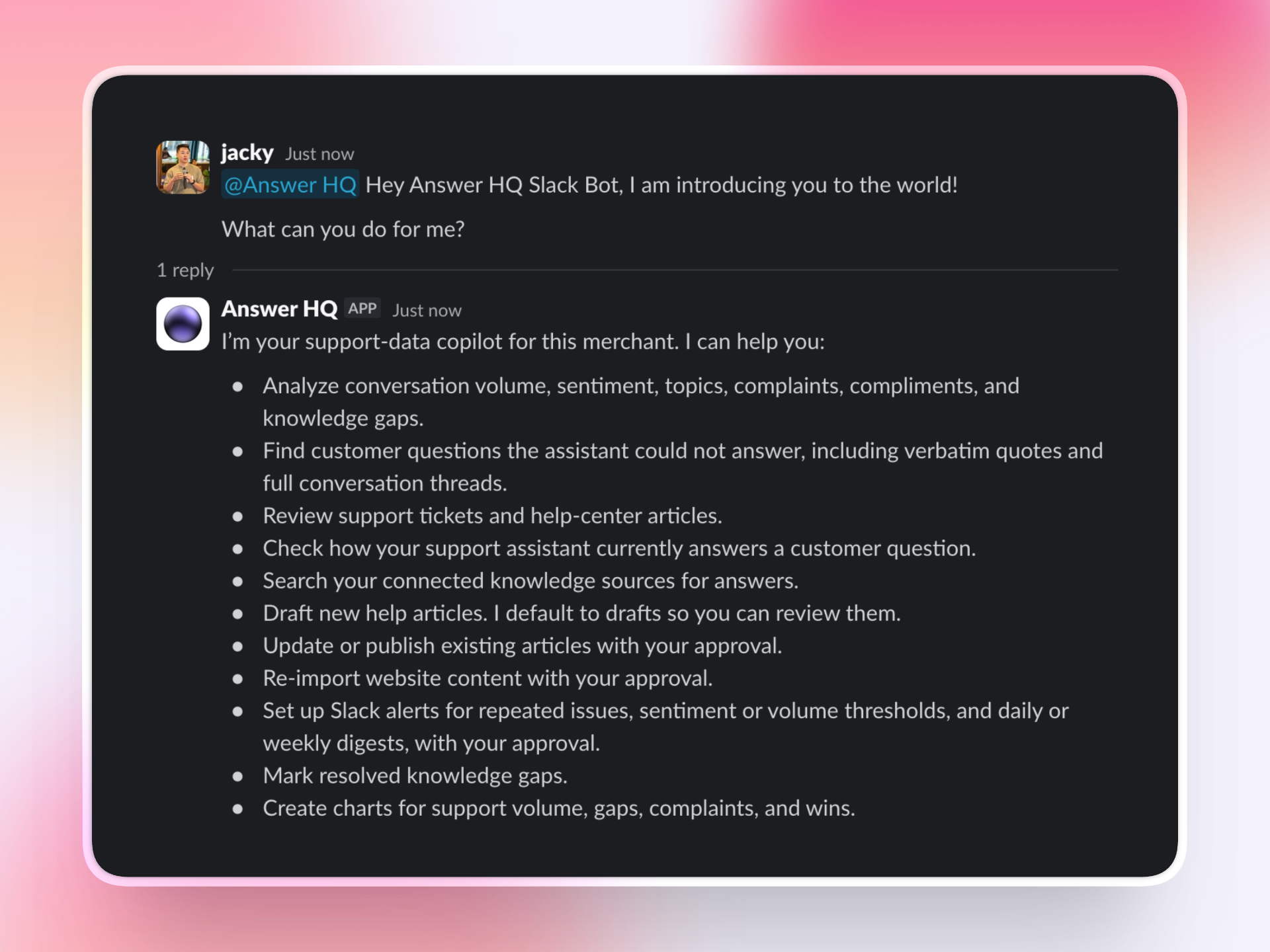
Ask in Slack, answered from your data
DM the bot or mention @Answer HQ in a channel and ask what you'd ask Autopilot: "how many chats did we get this week?", "what are customers asking about most?", "write a help article about returns". It's the same agent underneath, reading the same conversations and Insights your dashboard shows.
Follow-ups work the way Slack works. Reply in the thread and it keeps the context - no need to mention it again.
Alerts: hear about a problem while it's small
This is the part I'm most excited about. Tell the bot, in plain language:
alert me when 2 or more customers report the same issue in the past 12 hours
and it sets up a standing monitor. Your request is turned into a precise rule once, at creation, and from then on the check runs on a schedule against your real conversations - the same grouping-by-meaning that powers Topics in Insights. When it trips, the alert lands in the channel you chose, quoting what customers actually asked, with buttons to view the group in Insights, draft a help article, or mute the alert.
Volume thresholds work too ("alert me if we get more than 50 chats in a day"), and so do scheduled digests ("send me a summary every Monday morning"). You can see and manage every monitor from the Connectors page.
Approvals, in Slack
Autopilot's rule doesn't change in Slack: anything your customers could see waits for you. When the bot wants to publish an article, change one, or set up a monitor, it posts a card saying exactly what it wants to do, and nothing happens until someone you've authorized presses Approve.
Installing takes a minute
Go to Connectors in your dashboard, pick Slack, and click Connect. That's the whole setup: after the click you can DM the bot right away, and /invite @Answer HQ adds it to any channel. The connector page walks you through your first questions and your first alert.
The Slack bot is available on the Pro plan and above. If you're on Pro, it's already waiting on your Connectors page. If you're new, start a free trial and see what your customers have been trying to tell you.
Questions? hello@answerhq.co, or ask the widget - it's powered by Answer HQ.