
In July I opened up the Answer HQ API so the tools you build could reach into your workspace. The catch was that someone had to build something.
Today that step is gone. Answer HQ is an MCP server, so the AI assistants you already have open - Claude, Claude Code, Cursor, Codex - can use Answer HQ directly. You paste an address and a key, and they can answer questions about your customers and write your help articles.
What MCP is, in one sentence
MCP is the standard way an AI assistant plugs into an outside service. Instead of you copying data into a chat window, the assistant asks Answer HQ for what it needs, when it needs it.
So the questions you used to answer by hand become one prompt:
- "What are people asking about shipping this week, and is it in the help center?"
- "Read the last 20 conversations that got no answer and write a draft article for the biggest gap."
- "Which topics are trending up since last month?"
The assistant reads your Insights, your conversations, your tickets, and your knowledge base, and can write back to it too. Every one of those is an endpoint in the API reference, which now doubles as the tool list.
Setting it up in Claude
Claude is the one worth walking through, because it's all clicks - no config file, no terminal.
First, the key. Go to Settings → API in Answer HQ and create one. Read access is always on; tick Write only if you want the assistant creating and editing articles.
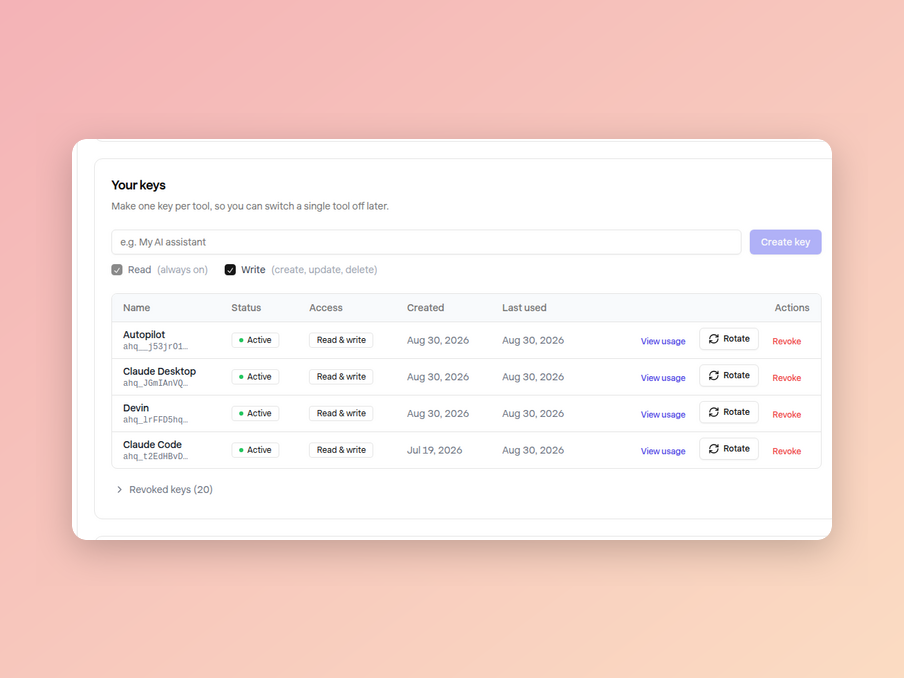
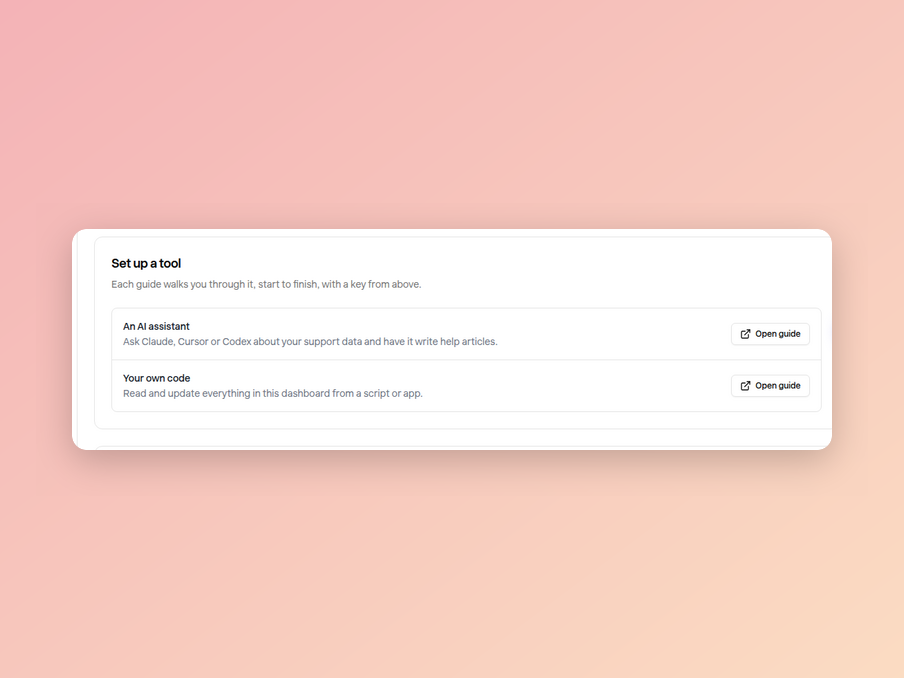
The same page has a Set up a tool card with a guide for each client, so you never have to remember the address or the header name.
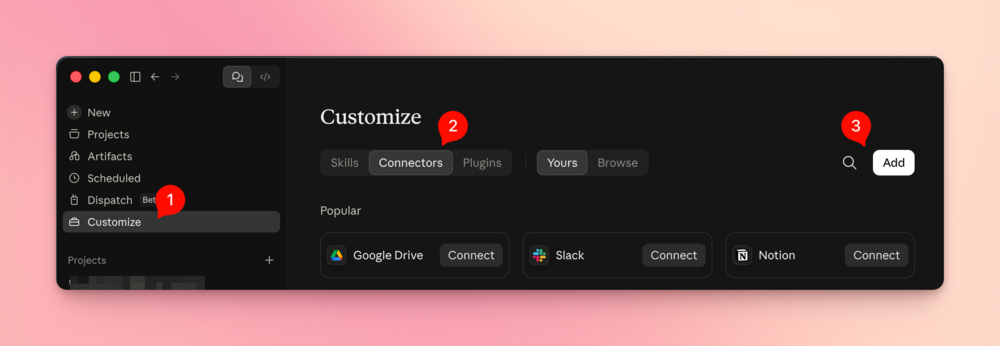
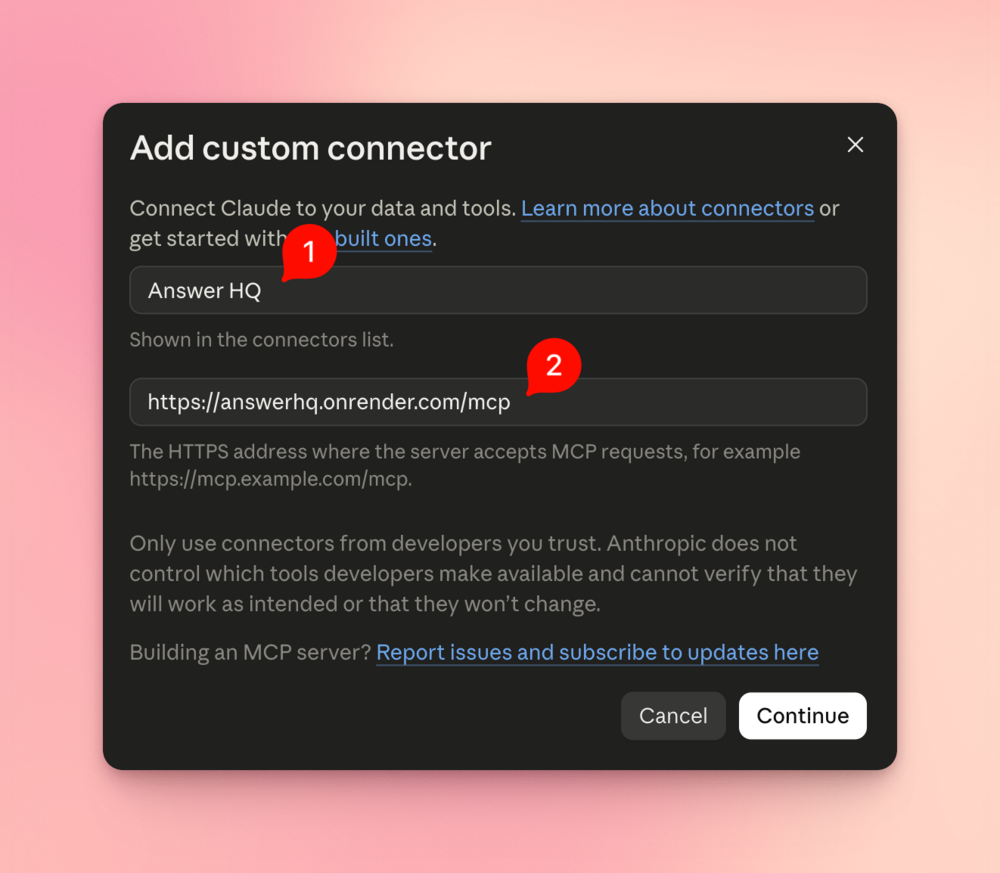
Now in Claude: Customize → Connectors → Add.
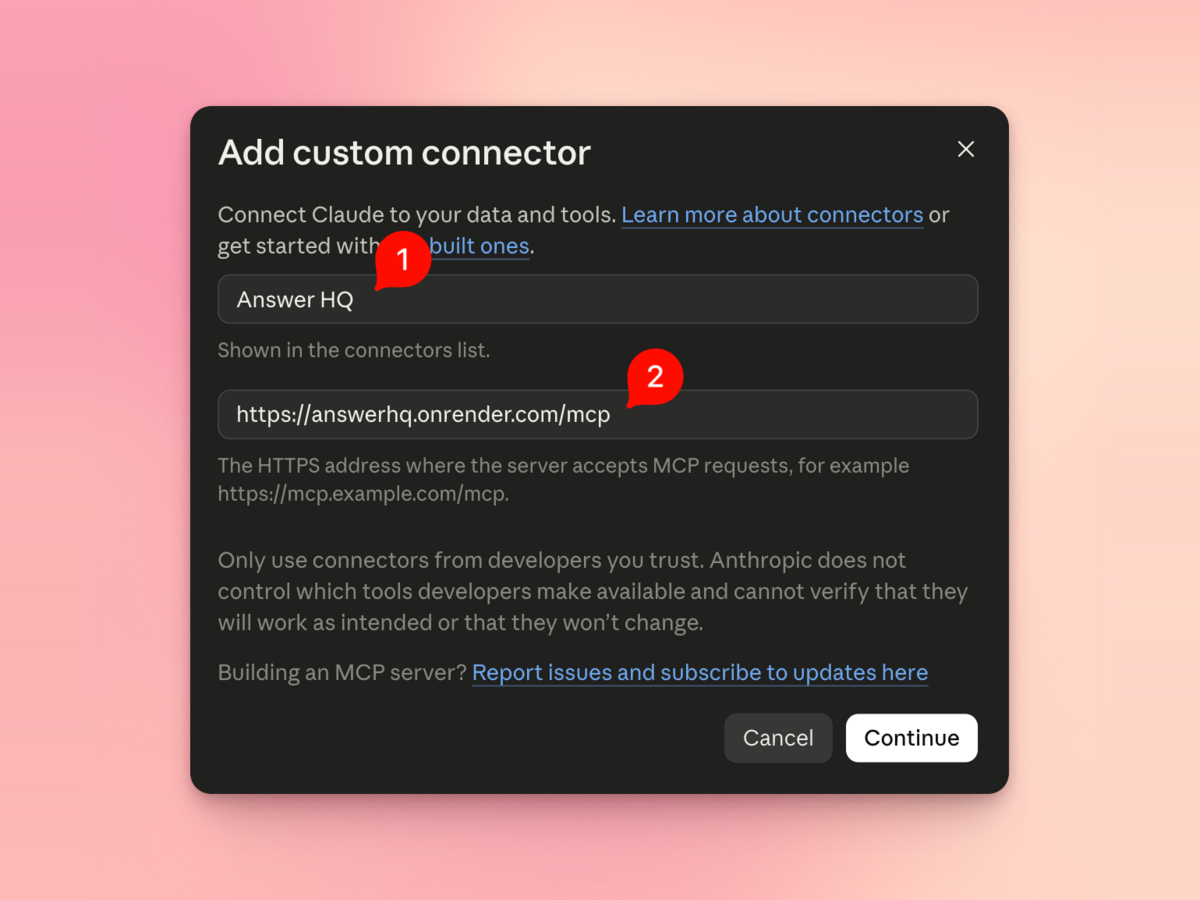
Name it "Answer HQ" and paste the server address, https://answerhq.onrender.com/mcp.
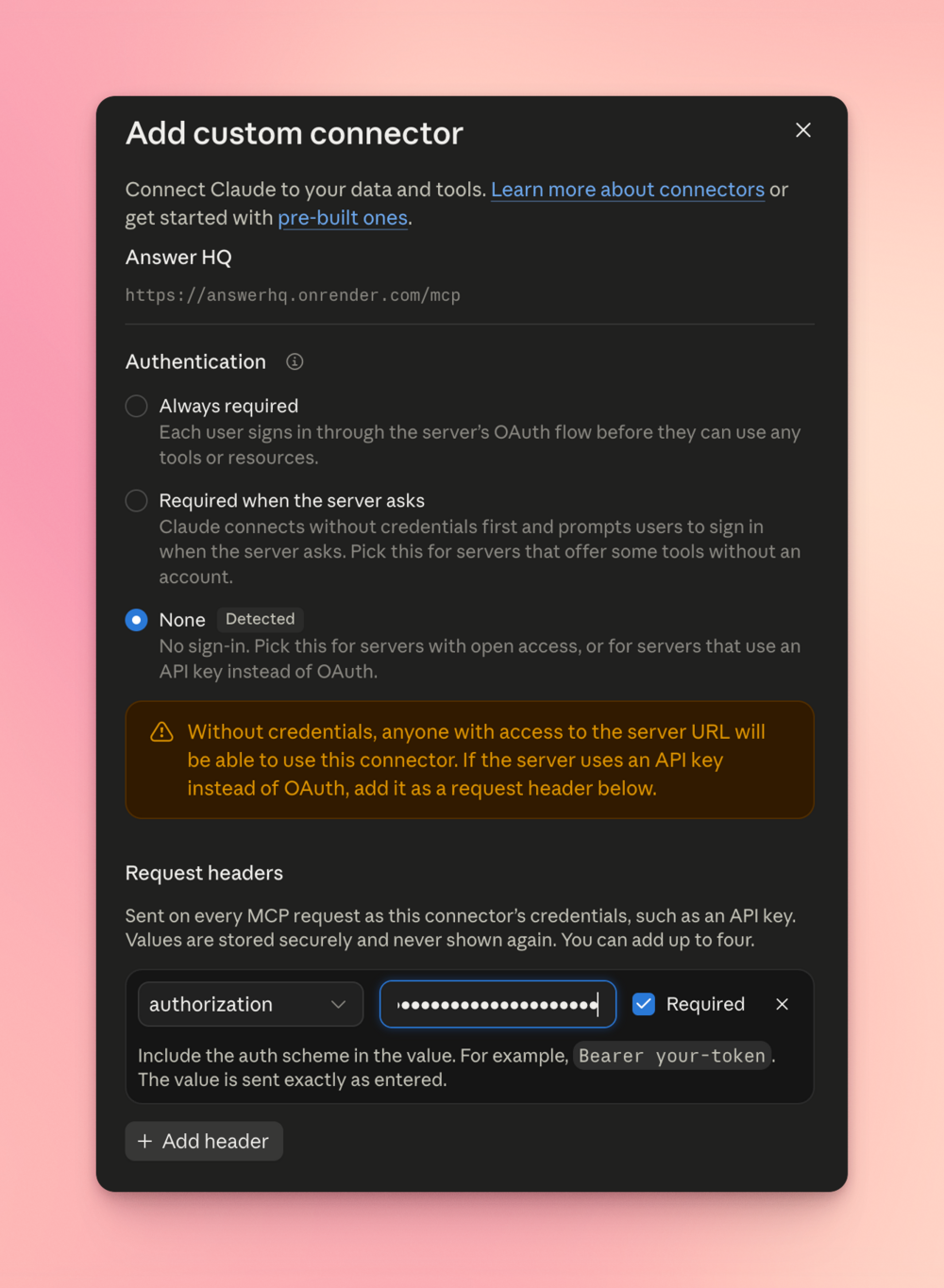
Then the part that trips people up: set Authentication to None - that's Claude's way of saying "this server doesn't use OAuth" - and add a request header instead. Pick authorization and enter your key with the scheme in front: Bearer ahq_.... Leave Required ticked and click Add.
That's it. Claude will show you the tools it just gained, in plain English - get_support_overview, search_conversations, create_help_article - and ask before it runs one. Try "What are my customers asking about this week?"
→ Connect Claude - the same steps with every screenshot, plus what to do if your Claude doesn't show a Request headers field.
Every other client is one link away
Same key, same endpoint, different paste target:
- Claude Code - one
claude mcp addcommand in your terminal. - Cursor - a few lines in
.cursor/mcp.json. - Codex - one entry in your Codex config.
- ChatGPT - the one that can't connect yet, and why.
ChatGPT is worth the honest note: its connectors accept OAuth or no authentication at all, with no way to attach a key, and an unauthenticated endpoint to your support data isn't something we'll ship. OAuth is on the list, and that's the milestone that unlocks it.
All of the guides live under AI assistants in the help center, starting with how to get your key.
Your key is still the boundary
Nothing about permissions changed, which is the point. The assistant only reaches what your key reaches.
- A read-only key can only read. If an assistant tries to publish or edit an article with one, it gets refused.
- Protected actions stay off-limits - billing, team members, messaging your customers, and account access, exactly as before.
- One key per tool. Name them, and you can revoke a single assistant later without touching the others.
- Revoke any time. Pull the key in Settings and the connection dies with it, everywhere it was pasted.
The API reference lists only what a key can reach, so it's also the list of what an assistant can do with yours.
One thing to know before you hand over a write key: article edits and website re-imports overwrite what's there, with no version history. Answer HQ tells the assistant to ask you first, and Claude will normally prompt before running a tool - but if you've told your assistant to auto-approve everything, it will. A read-only key is the honest way to browse safely.
Available now on Pro and above
MCP works with the API keys you already have, and API access is part of Pro and Growth. If you're on Basic, upgrade in the dashboard and the whole thing is a paste away.
Set it up in a minute, then tell me what your assistant does with your support data - I want to hear the prompts I didn't think of.