
Most of the answers your customers need already exist. They're just sitting in Google Drive: the warranty policy doc, the onboarding guide, the product slides nobody turned into help articles.
Today you can connect that Drive directly to Answer HQ. Pick the folders you trust, and your assistant answers from what's inside them.
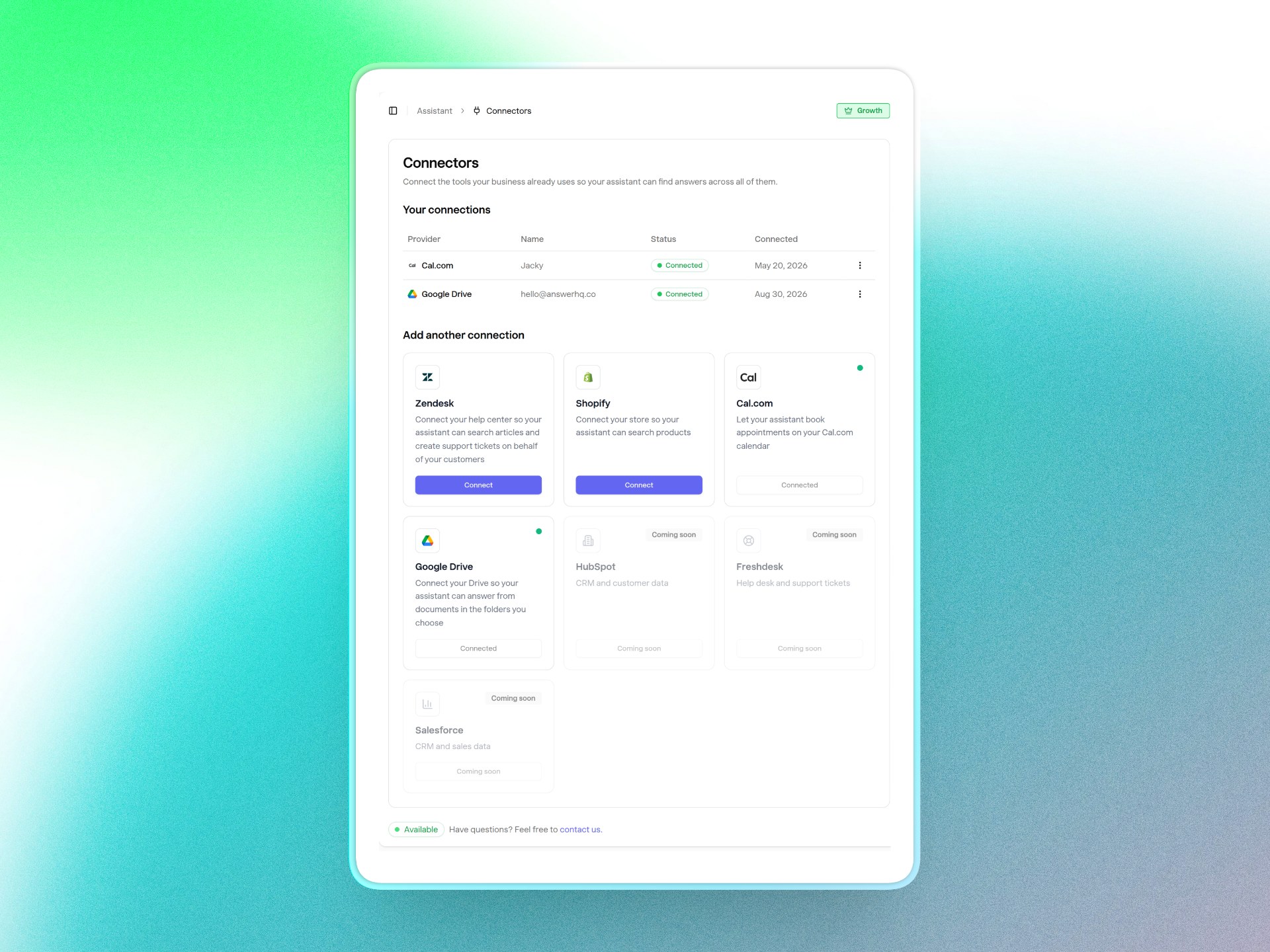
You choose the folders, nothing else is touched
Setup takes about a minute. Hit Connect on the Google Drive card, approve read-only access in the Google sign-in window, and a folder picker opens right away.
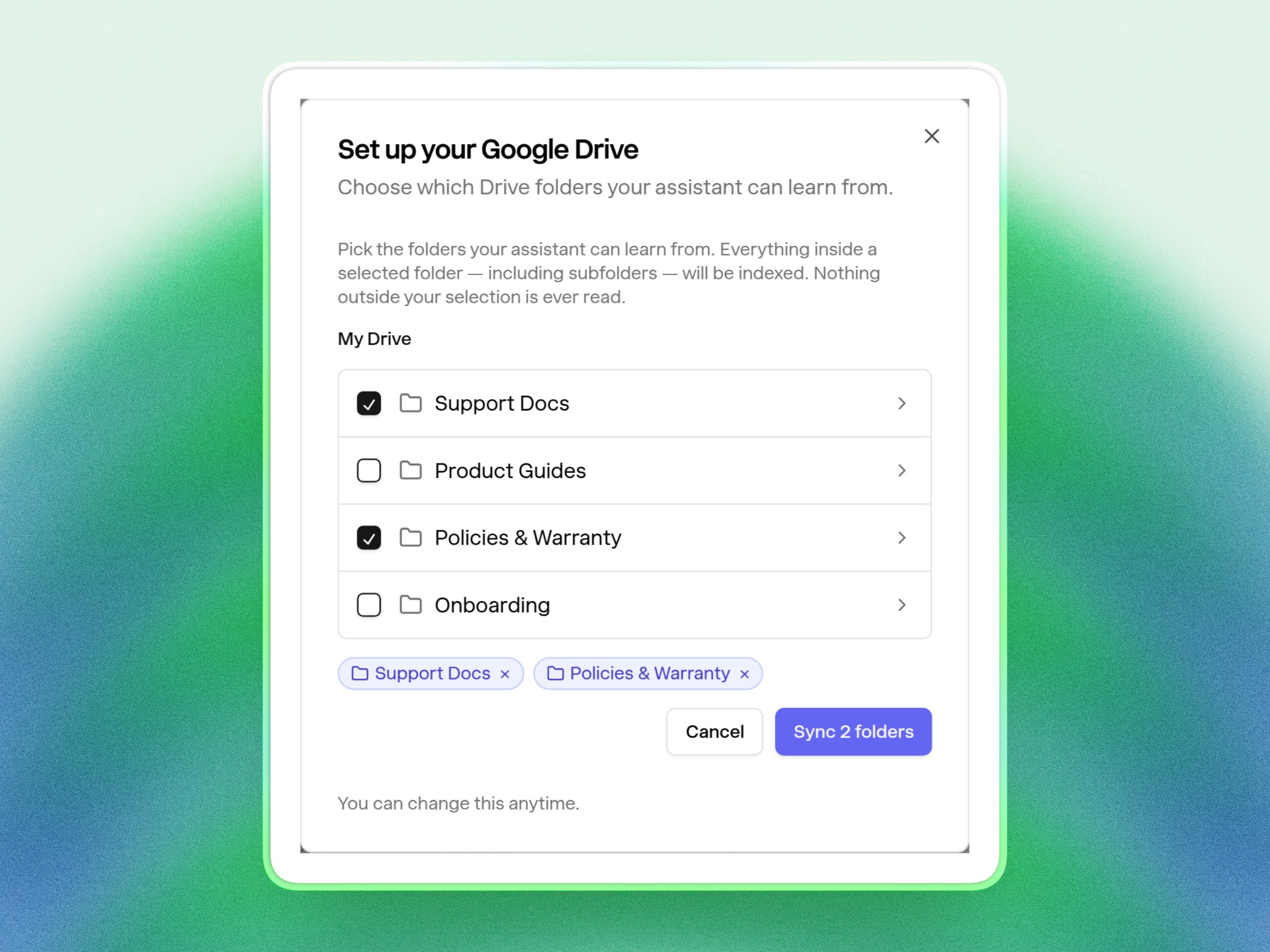
Tick one or more folders and save. Everything inside them - subfolders included - gets indexed into your Knowledge Vault: Google Docs, Google Slides, PDFs, Word files, text and Markdown. Nothing outside your selection is ever read.
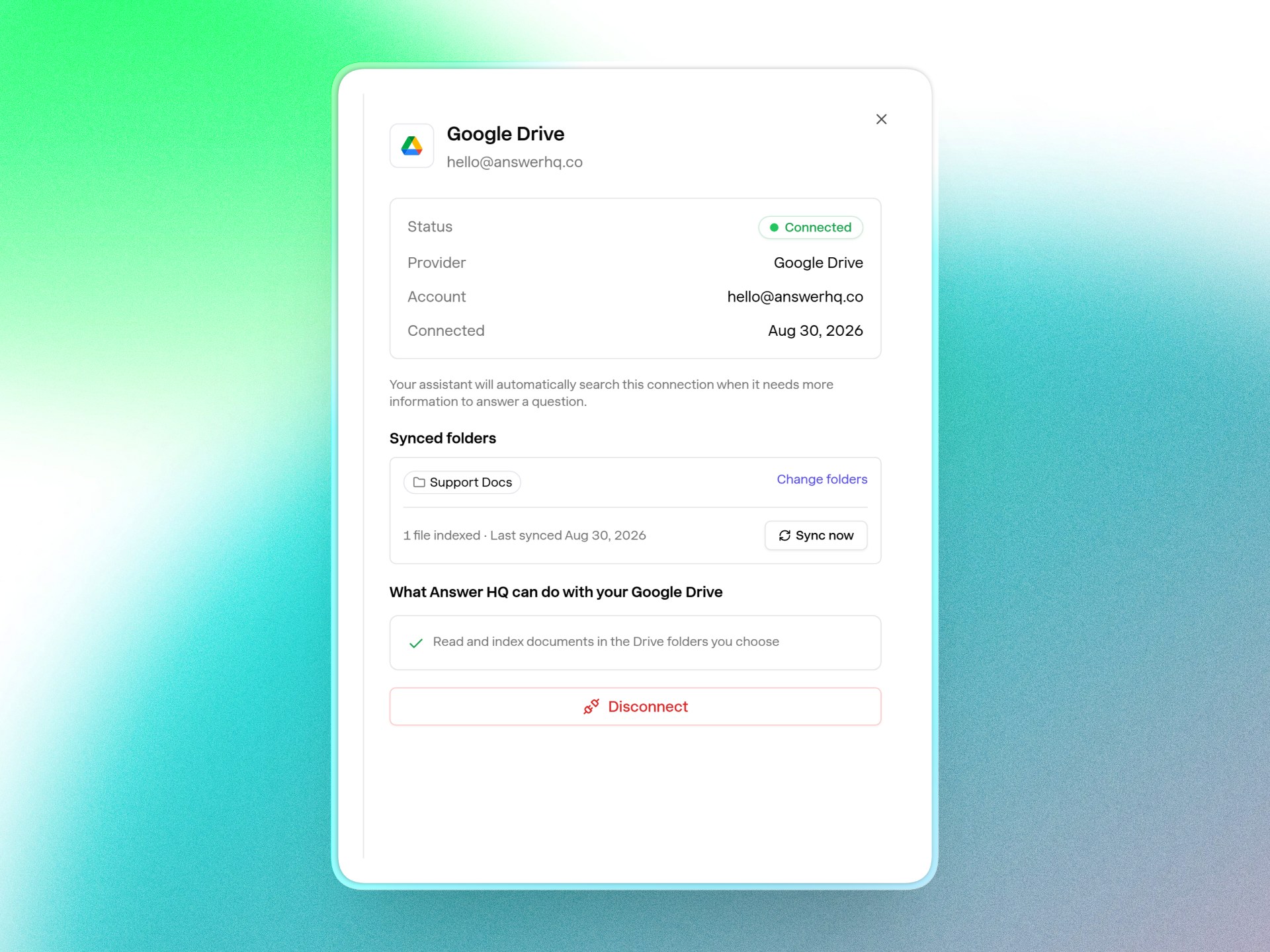
The first sync starts immediately, and the connector shows you exactly where things stand: how many files are indexed and when they last synced. Edit a doc or drop in a new one, hit Sync now, and only what changed gets picked up.
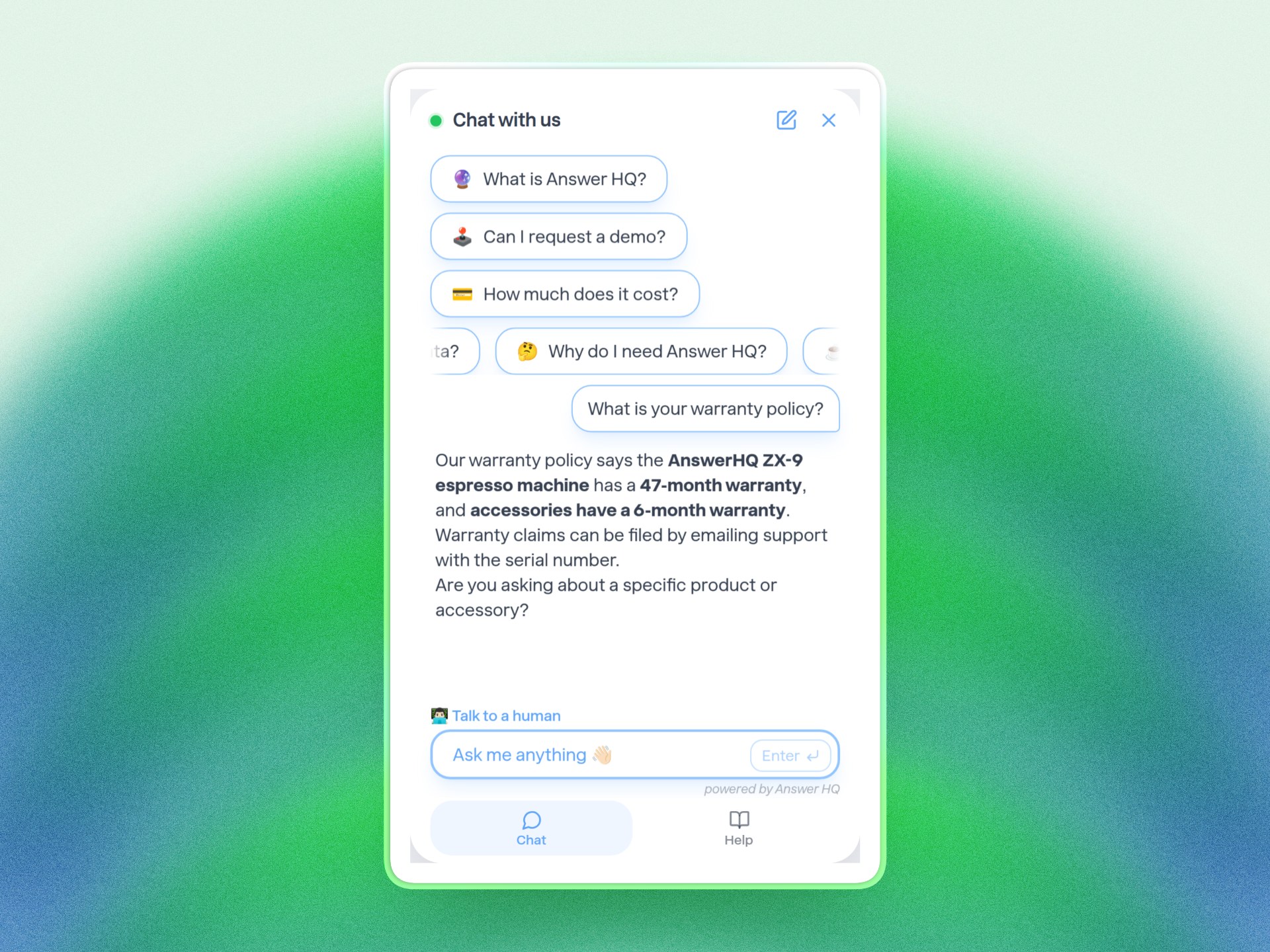
Your customers get the answer, not your Drive
When a customer asks a question, the assistant uses your Drive content like any other knowledge - and that's all they see. No "searching Google Drive" in the trace, no dead links to files they can't open. Just the answer.
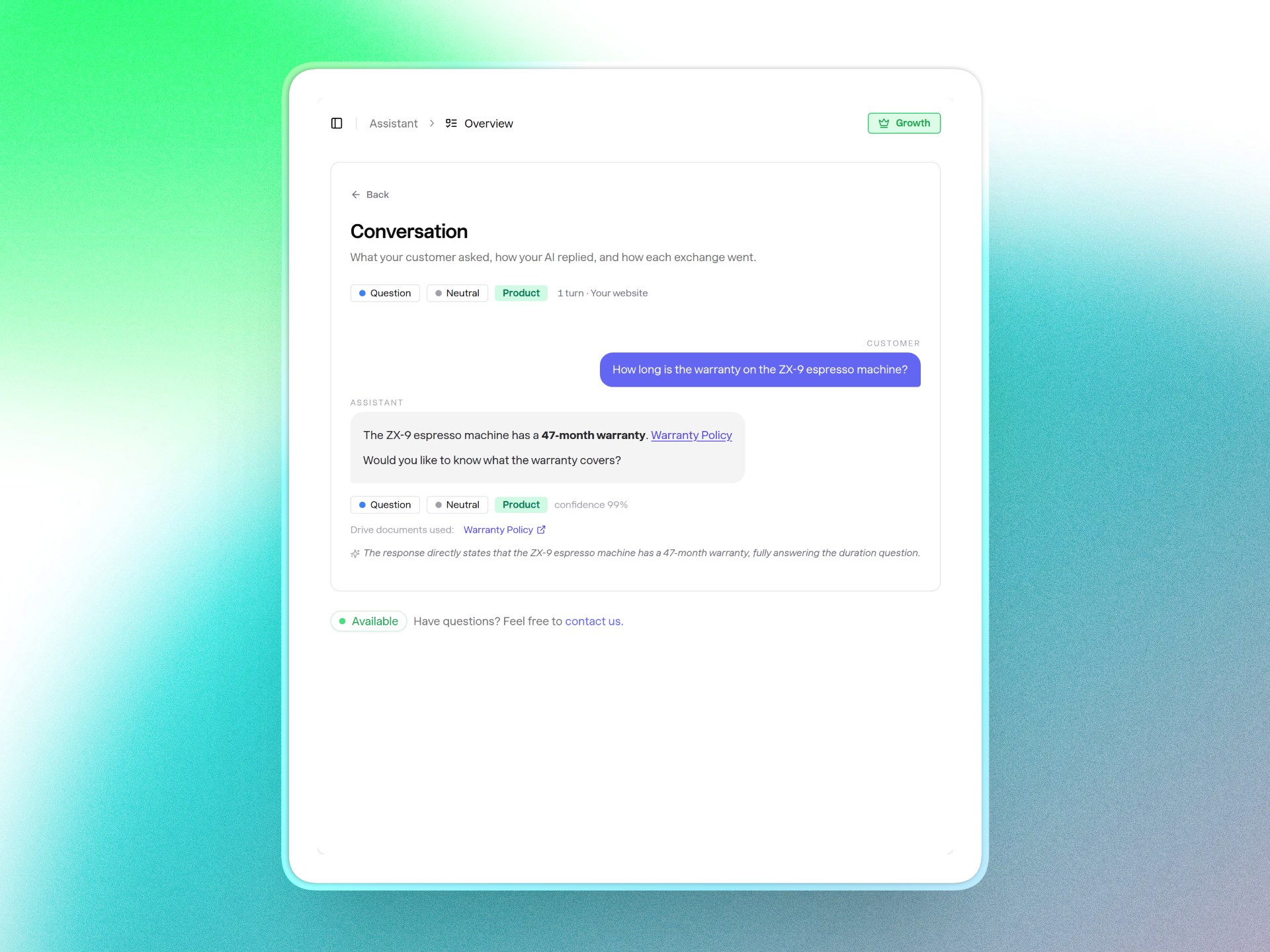
You still see everything. Open any conversation in Insights and a Drive documents used section lists the exact files behind the answer, with links straight into your Drive so you can check the source in one click.
Available now in beta
The Google Drive connector is in beta on Pro and Growth plans - find it under Connectors in your dashboard. One heads-up: while Google's app verification review is in progress, you may see an "unverified app" notice during sign-in. Access is read-only and scoped to the folders you pick.
The full setup and usage guide lives in our Knowledge Articles: How to connect Google Drive.
—
Your documentation shouldn't have to live in two places to be useful. Keep writing in Drive; your assistant keeps up. I'd love to hear what you connect first - email me at hello@answerhq.co or ask the widget.
Thank you for being part of the Answer HQ journey,
Jacky
Founder, Answer HQ
Try Answer HQ free for 14 days - no credit card required.