
I talk with every one of my customers at Answer HQ, and one thing I've noticed is that small business owners are busy people. They're running the business, hopping from one meeting to the next, meeting clients. They aren't at a desk all day watching their Answer HQ dashboard.
They're on their phones, switching between chat apps. They don't have time to be on their computers.
So we're bringing Answer HQ Autopilot - the assistant in your dashboard that answers questions about your own support conversations and does the follow-up work for you - to where you already are: WhatsApp.
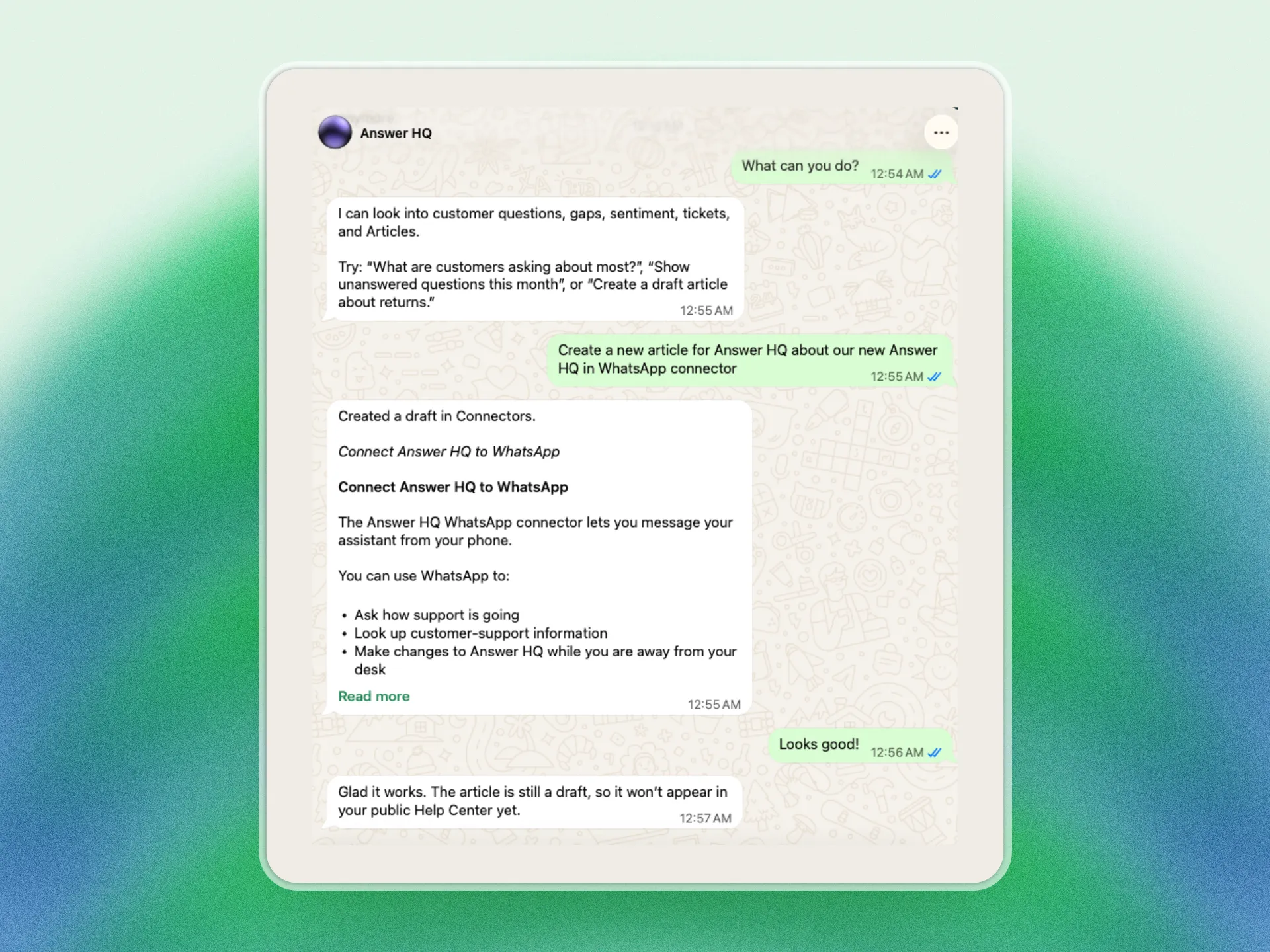
Message the Answer HQ number and ask what you'd ask Autopilot: "how many chats came in today?", "what are customers asking about most this week?", "what did we say about refunds?". Same assistant, same conversations and Insights as your dashboard.
It's not just answers. Ask it to write a help article, update the shipping one, or add a rule about how the assistant should talk to customers. It shows you exactly what it's about to do with Approve and Reject buttons, and nothing your customers can see changes until you tap Approve. And it even tells you when something needs your attention: "let me know when 2+ customers report the same issue in 12 hours", and it watches so you don't have to.
Autopilot is there for the problems that pile up while you're busy: the questions customers keep asking that your help center can't answer yet, the article that still says the old return window, the "how did support go this week?" you never get around to checking. Ask, and it either answers or does it and shows you first.
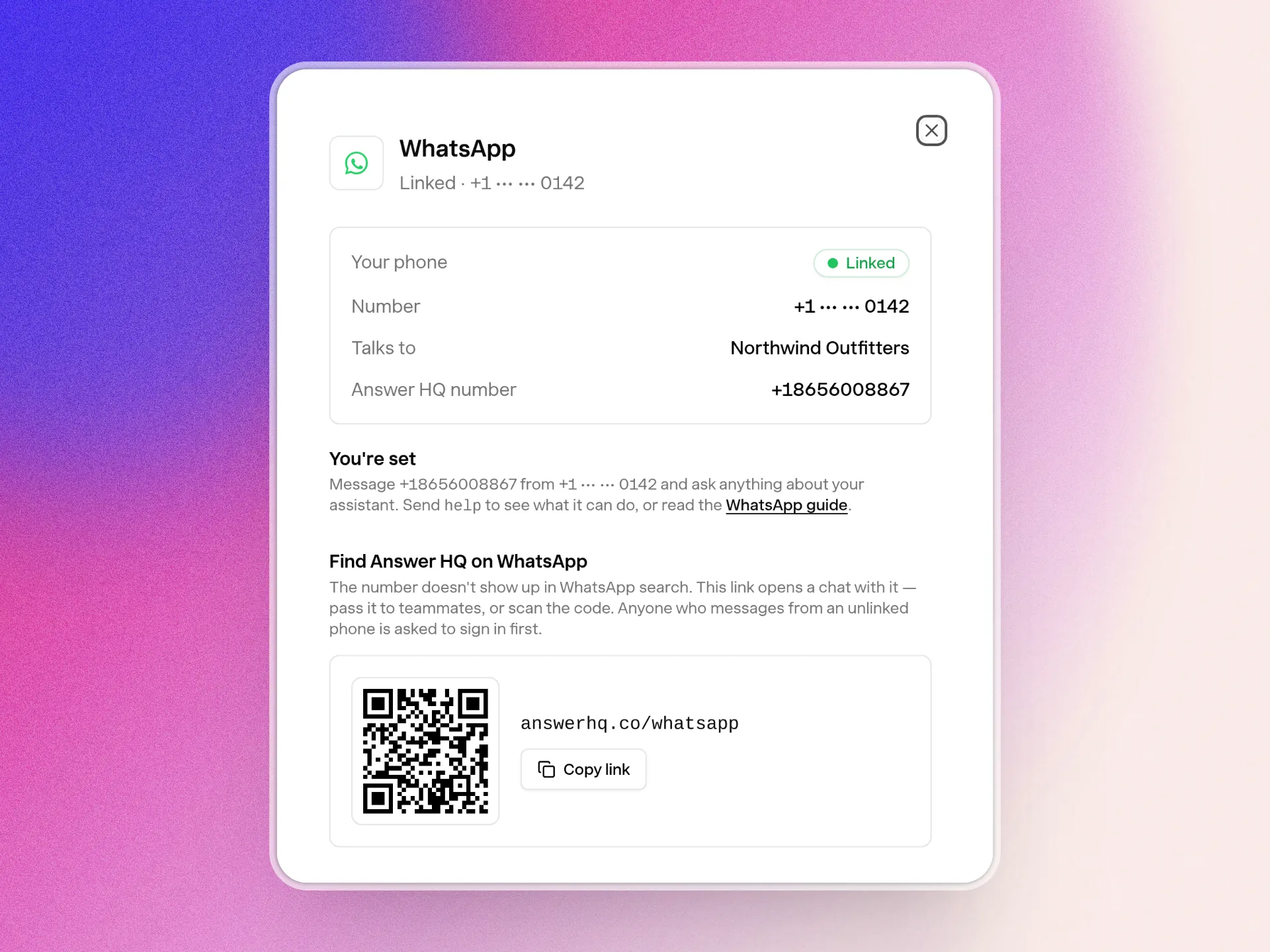
Linking takes a minute. Go to Connectors → WhatsApp, tap Link my WhatsApp, and send the message it prefills for you. Or just message the number from answerhq.co/whatsapp and sign in from the button it sends back. Nothing to install.
Learn how Answer HQ works on WhatsApp
Available on Pro and Growth. Tell me what you asked it first: hello@answerhq.co.
Jacky
Founder, Answer HQ
Try Answer HQ free for 14 days - no credit card required.