
Answer HQ has lived on your website so far. More and more of you have asked for it in other places too, starting with your ticketing platform of choice: Zendesk.
So I'm really excited to announce that Answer HQ's support agent is now available to help you reply to your incoming support emails and tickets, or suggest the best reply for your team to send.
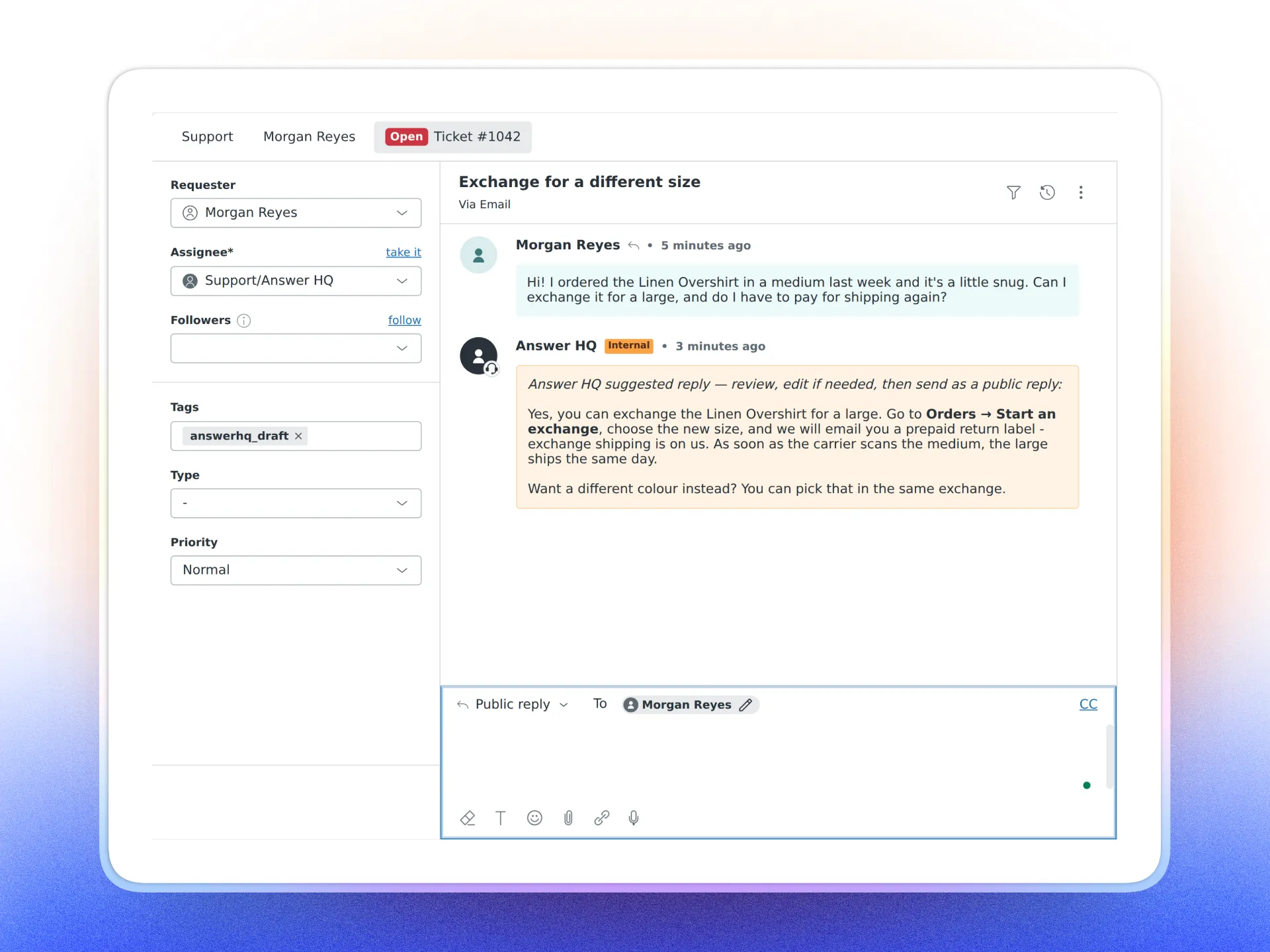
Turn on Auto-reply to tickets under Connectors → Zendesk. Every new customer message gets an answer from the same assistant that runs your widget, using your knowledge base, help center and Shopify orders. It starts as a private note only your agents see, so they send it, edit it, or ignore it. When the notes look right, switch to Send the reply to the customer and they go out as public replies. Either way, it stops on a ticket the moment one of your agents replies.
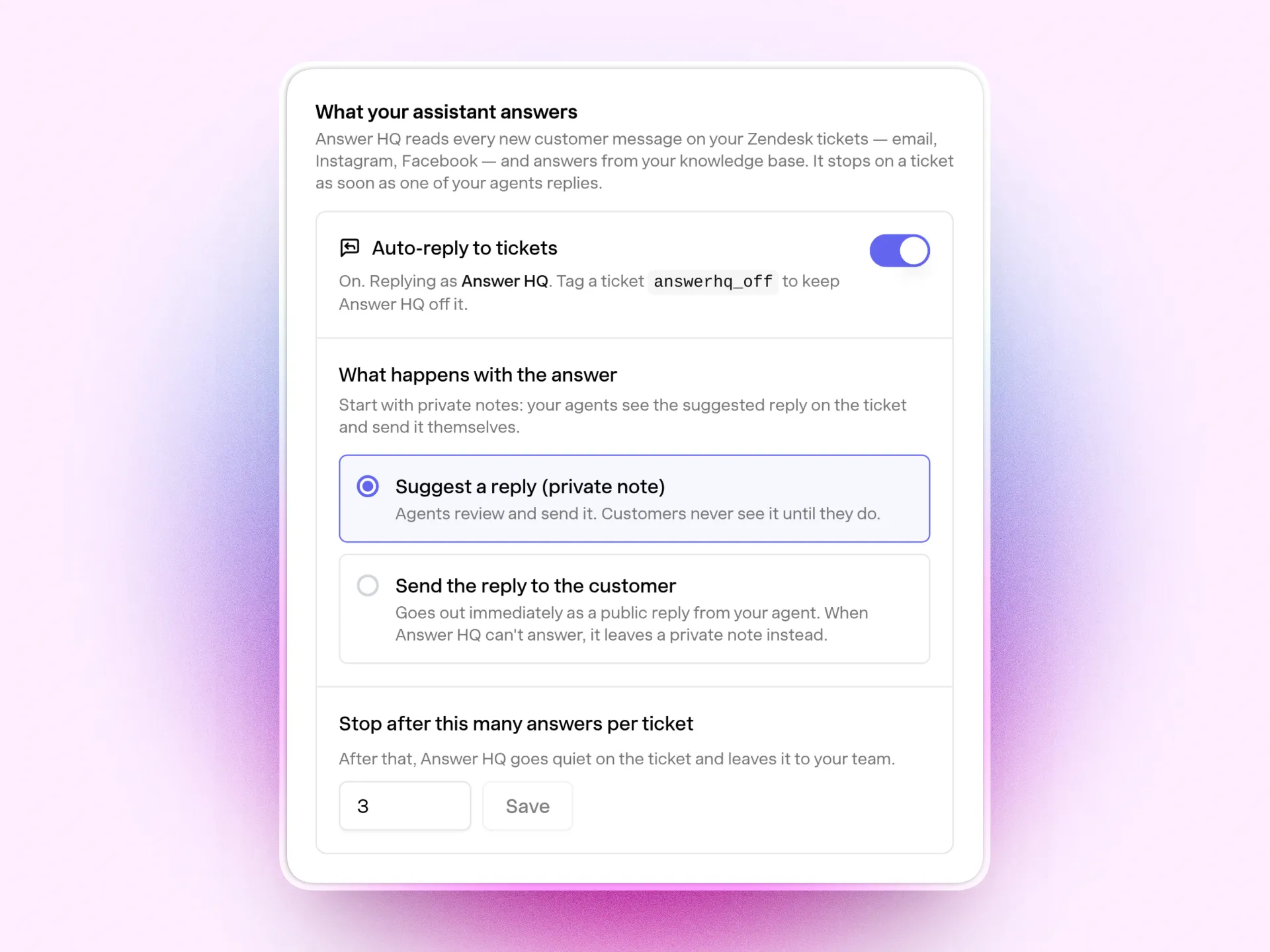
Nothing to configure in Zendesk itself. Beta, on Pro and Growth.
Turn on auto-reply on your Zendesk connector →
Full details in the Help Center: How to connect Zendesk.
Start in draft mode and tell me what the notes get wrong: hello@answerhq.co.
Jacky
Founder, Answer HQ
Try Answer HQ free for 14 days - no credit card required.