
You've written help articles. Your customers rarely read them.
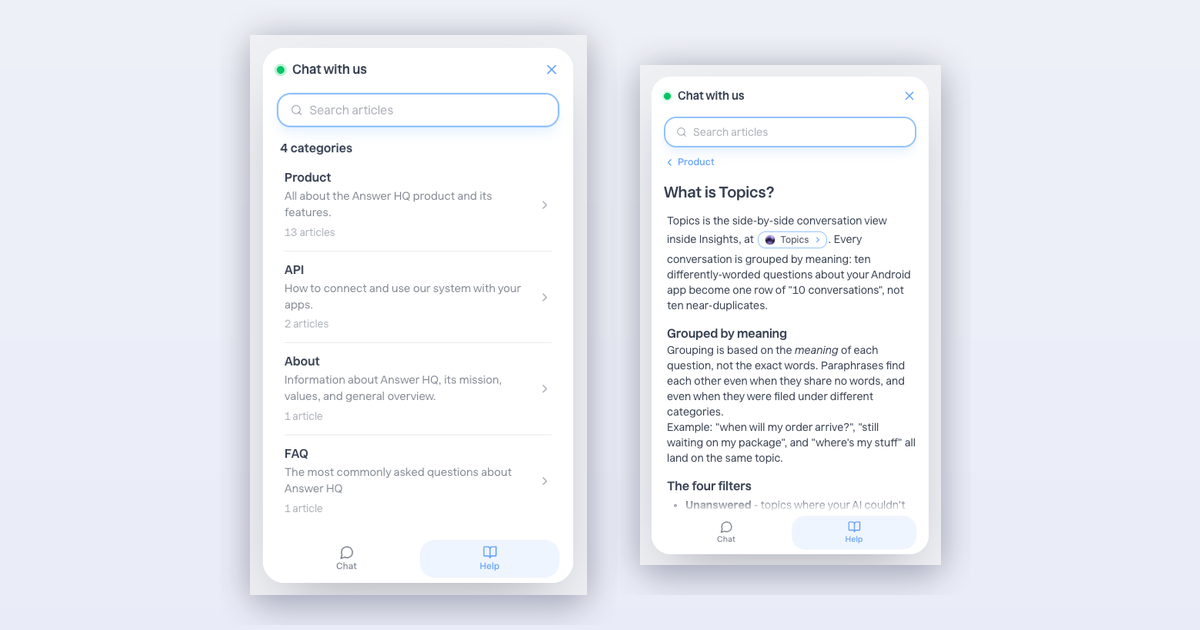
Not their fault - the help center lives on one page, the chat on another, and customers pick the chat. Today that distance is gone: your help center now lives inside the chat widget.
Two tabs: Chat and Help
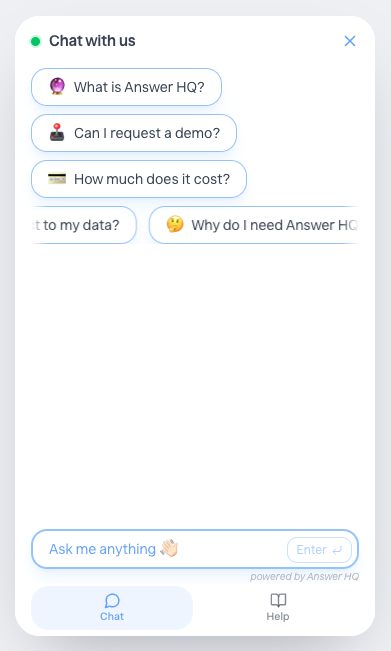
Chat is the assistant you know. Help is new: your categories, with the descriptions you wrote, and every published article readable right there in the widget. No new tab, no losing the conversation.
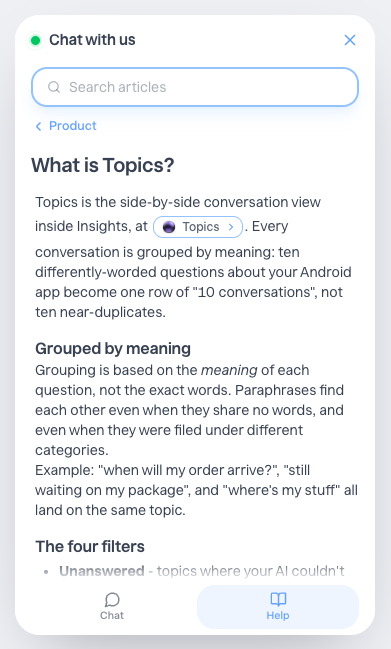
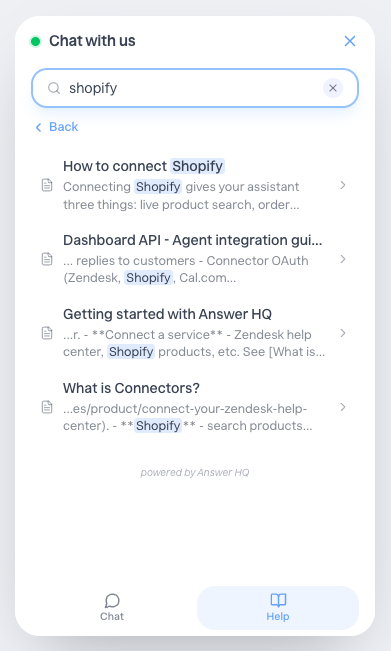
Search everything
The search bar sits at the top of every Help screen. Type a few letters and it searches all your articles, with the matching words highlighted.
It turns on by itself
There is nothing to set up.
- Published an article? The Help tab is already live in your widget.
- No articles yet? Your widget stays the clean chat window it's always been.
- Your category descriptions (Articles → Categories) now appear in the widget, so a one-line description of each category is worth writing.
The Help tab wears your brand automatically - same colors, same corners, same shadows as the rest of your widget.
Available today
On every plan, no changes needed - your existing widget just updates. Open your site and tap the orb.
—
The widget is the part of Answer HQ your customers actually touch, so I sweated every detail on this one. Tell me what you think at hello@answerhq.co, or chat with us in the widget (yes, the new one).
Thank you for being part of the Answer HQ journey,
Jacky Founder, Answer HQ
Try Answer HQ free for 14 days - no credit card required.